Control AI Coding Agents From Anywhere
Mobile and web client for Claude Code, Codex & Gemini. End-to-end encrypted. Open source. Self-hostable.
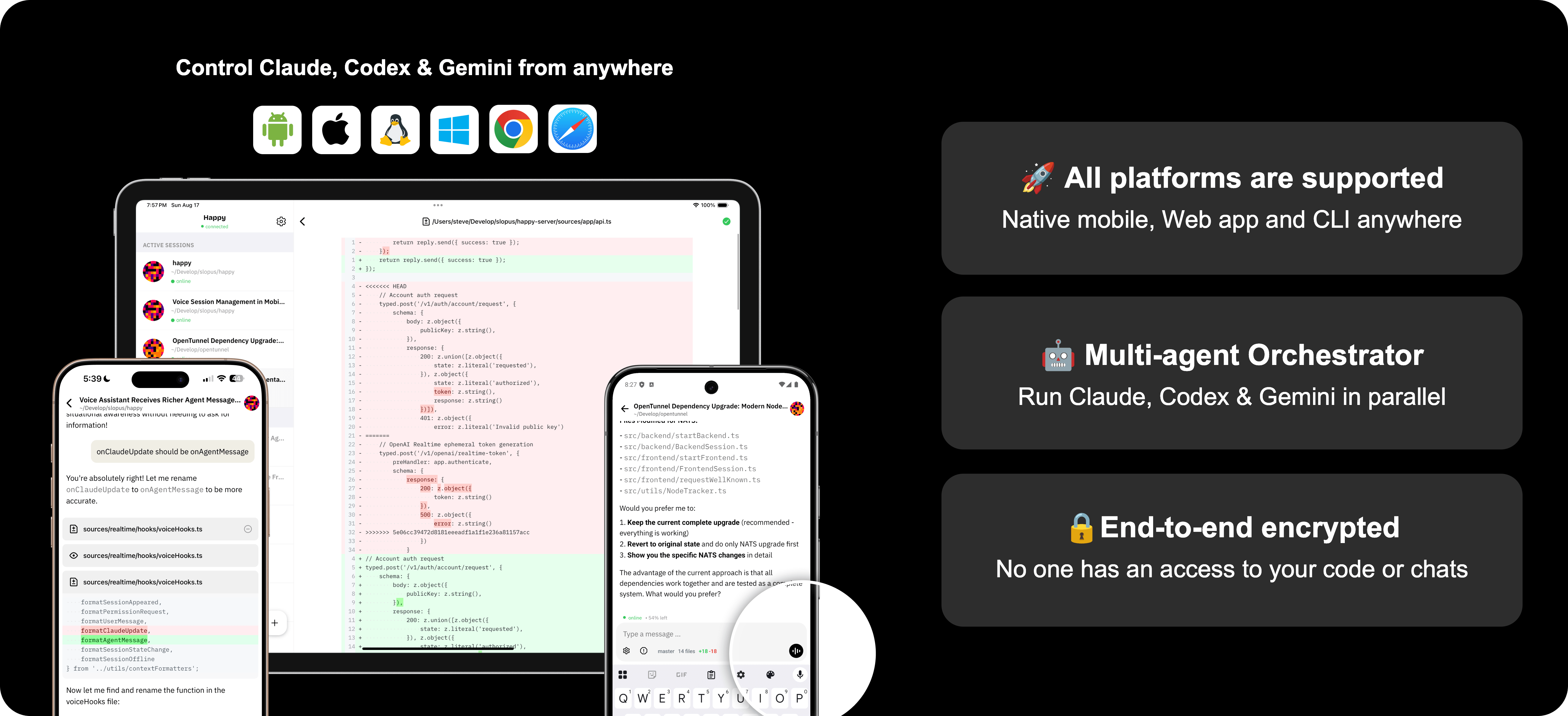
Get Started in 3 Steps
Install CLI
Install the CLI on your development machine.
Start a Session
Run happy to start a Claude Code session.
Connect Your Phone
Scan the QR code with the Happy app to pair.
Everything You Need
A complete toolkit for managing AI coding agents remotely.
Multi-Agent Control
Claude Code, Codex, and Gemini as first-class agents — session resume, model selection, and cost tracking.
Orchestrator
Define multi-agent task DAGs with per-task model and working directory. Auto-schedule execution.
Voice Assistant
LiveKit-based voice gateway with pluggable STT/LLM/TTS. Talk to your AI instead of typing.
Code Browser
Browse files, view diffs, stage, commit, and discard changes — all from your phone.
E2E Encryption
Your code and conversations are encrypted before leaving your device. We cannot read them.
Self-Hostable
One-command Docker deployment. Your data, your server, your rules.
Session Sharing
Share sessions via direct invite or public link with real-time sync and access control.
Push Notifications
Know when your agent needs attention. Approve permissions from your phone instantly.
Three Agents. One App.
Happy Next treats Claude Code, Codex, and Gemini as equal first-class agents.
Claude Code
Anthropic's coding agent with deep reasoning.
Codex
OpenAI's CLI agent for code generation.
Gemini CLI
Google's AI agent for the terminal.
Get the App
Available on every platform. Control your AI agents from anywhere.
Self-Host in One Command
Deploy the entire stack with Docker Compose. Web app, API, voice gateway, database — all included.
$ cp .env.example .env
$ docker-compose up -d
✓ All services started